

RFID Gates for Retail Loss Prevention: How to Reduce False Alarms and Cross-Reading
RFID gates are widely used at retail entrances and exits to monitor tagged merchandise and support loss prevention.
But a gate that reads farther is not always a better gate.
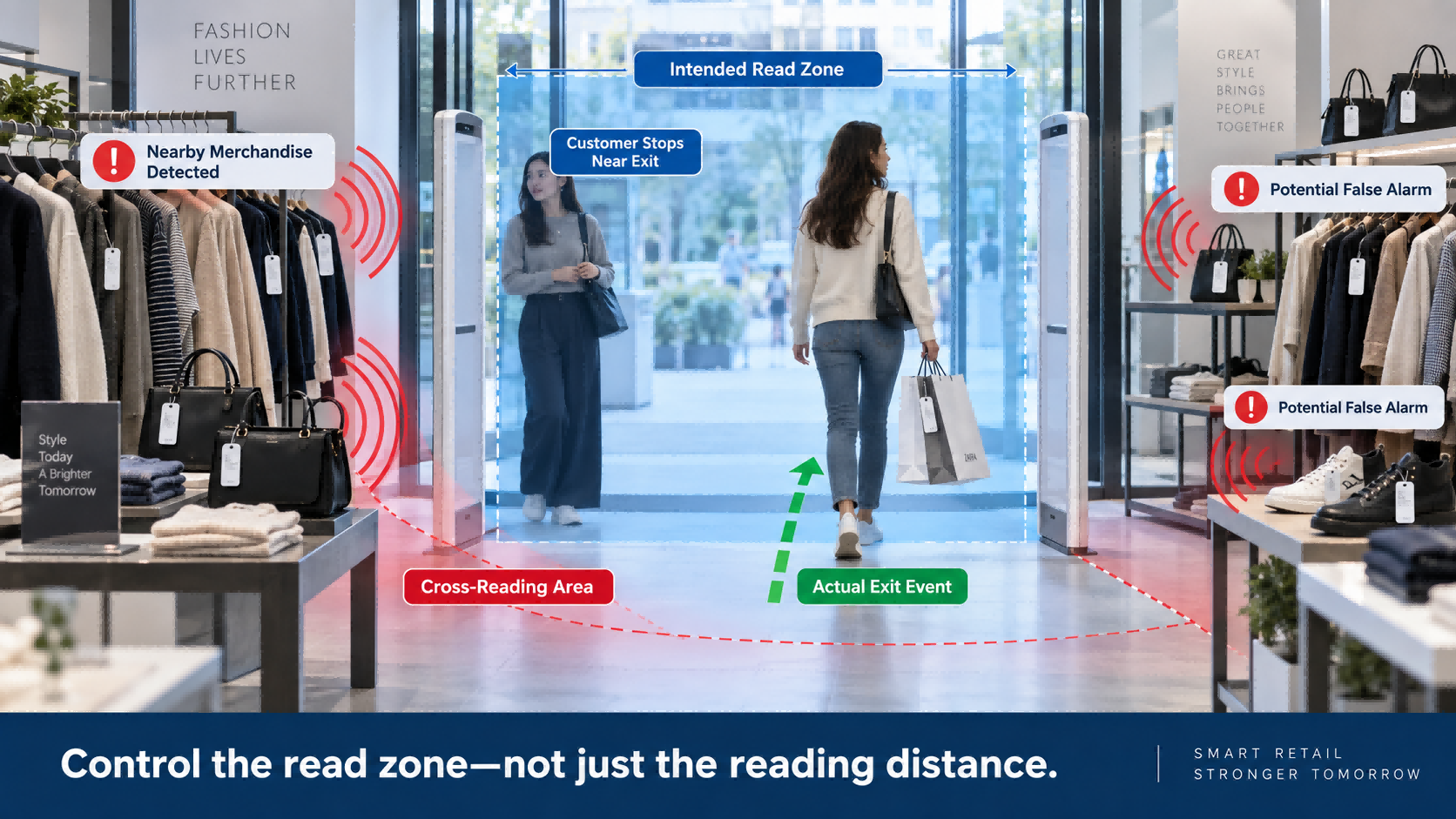
In retail, one of the biggest challenges is cross-reading: the RFID system detects tags near the entrance even though those products never actually leave the store.
That can lead to unnecessary alarms, staff frustration, and poor customer experience.
So the real question is not:
How far can the RFID gate read?
It is:
Can the gate monitor the right area and identify the right event?
This guide explains why false alarms happen, what RFID cross-reading means, how to reduce it, and how to choose between three common retail RFID gate designs:
RFID gate false alarms usually happen because tags outside the intended monitoring zone are also being detected.
Common causes include:
For most retail stores, the solution is not simply to increase reading power.
A better approach is to control the read zone, test the real store environment, and choose the gate architecture that fits the entrance.
For a standard retail doorway, a traditional pedestal RFID gate is often the simplest and most cost-effective option.
A store that wants a cleaner, open entrance may prefer a ceiling-mounted gate.
A more complex entrance with nearby merchandise or difficult movement patterns may justify trajectory-recognition technology.
Traditional anti-theft systems mainly answer one question:
Did a protected tag pass the exit?
RFID gates can add another layer of information.
Because RFID tags have unique IDs, the system can potentially know:
This makes RFID useful not only for anti-theft alarms, but also for more controlled item-level event management.
The value comes from combining:
RFID Identification + Read-Zone Control + Alarm Logic
False alarms usually come from the interaction between the RFID gate, merchandise, store layout, tags, and system settings.
This is one of the most common retail scenarios.
A clothing rack, shoe display, or handbag shelf may be positioned close to the doorway.
Those products are still inside the store, but their RFID tags may enter the reader's effective range.
If the gate treats every detected tag as an exit event, false alarms become more likely.
More power does not automatically mean better performance.
If RF power is increased too much, the reader may detect merchandise farther inside the store.
That can make the read zone much larger than the actual passage.
For retail loss prevention, a controlled zone is often more useful than the longest possible read range.
A good principle is:
Read the passage, not the whole store.
Retail stores change frequently.
Racks move.
Promotional displays are added.
Products may be placed closer to the entrance.
At the same time, RFID performance can change depending on:
This is why an RFID gate should always be tested using the actual merchandise and tags used in the store.
RFID cross-reading occurs when a reader detects tags outside the intended monitoring area.
Imagine a customer walking through the exit with one tagged jacket.
At the same time, five other tagged garments are hanging on a rack just inside the store.
The gate should ideally identify the jacket moving through the doorway.
If it also reads the five garments that never moved, cross-reading is happening.
This is one of RFID's strengths and weaknesses at the same time.
RFID does not require direct line-of-sight, which makes it excellent for inventory counting.
But at a store entrance, the read zone has no visible physical boundary.
That invisible RF boundary has to be controlled carefully.
There is no single gate design that fits every retail environment.
The best choice depends on entrance width, merchandise placement, store design, and the level of movement recognition required.
A traditional RFID pedestal gate uses floor-standing units installed on one or both sides of the entrance.
This is still the most common and practical RFID gate architecture for many retail stores.
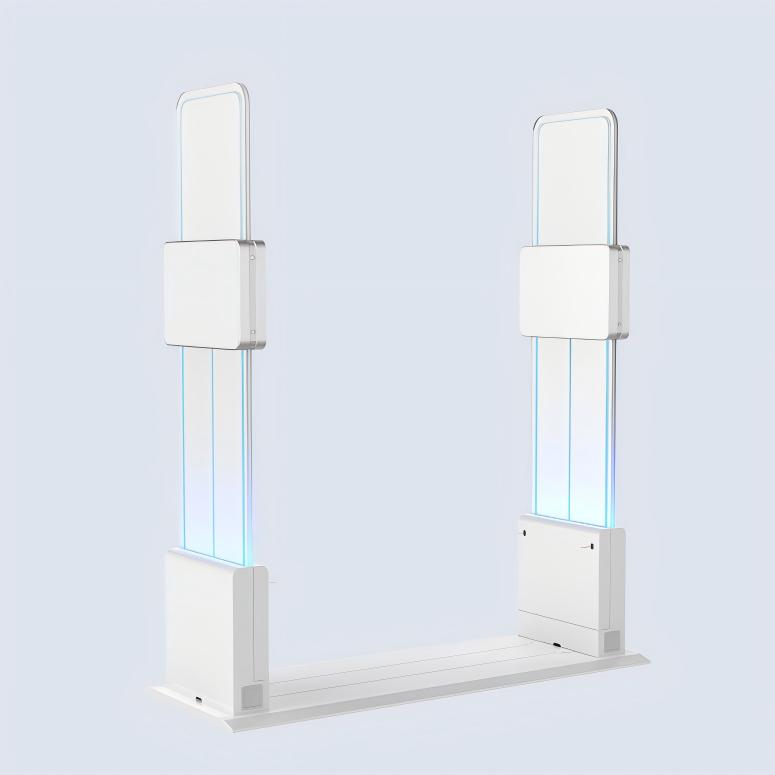
For a standard entrance with a stable layout and enough distance between merchandise and the doorway, a conventional pedestal gate can be:
For many stores, this is all that is needed.
Pedestal RFID gates are commonly used in:
The main challenge is controlling the read zone.
Deployment typically needs to consider:
If merchandise is placed too close to the gate, cross-reading risk can increase.
Pedestal units also occupy floor space on both sides of the entrance, which may matter for stores that want a more open visual design.
A ceiling-mounted RFID gate moves the reader and antenna structure above the passage.
Instead of using side-mounted pedestal units, the hardware is installed overhead.
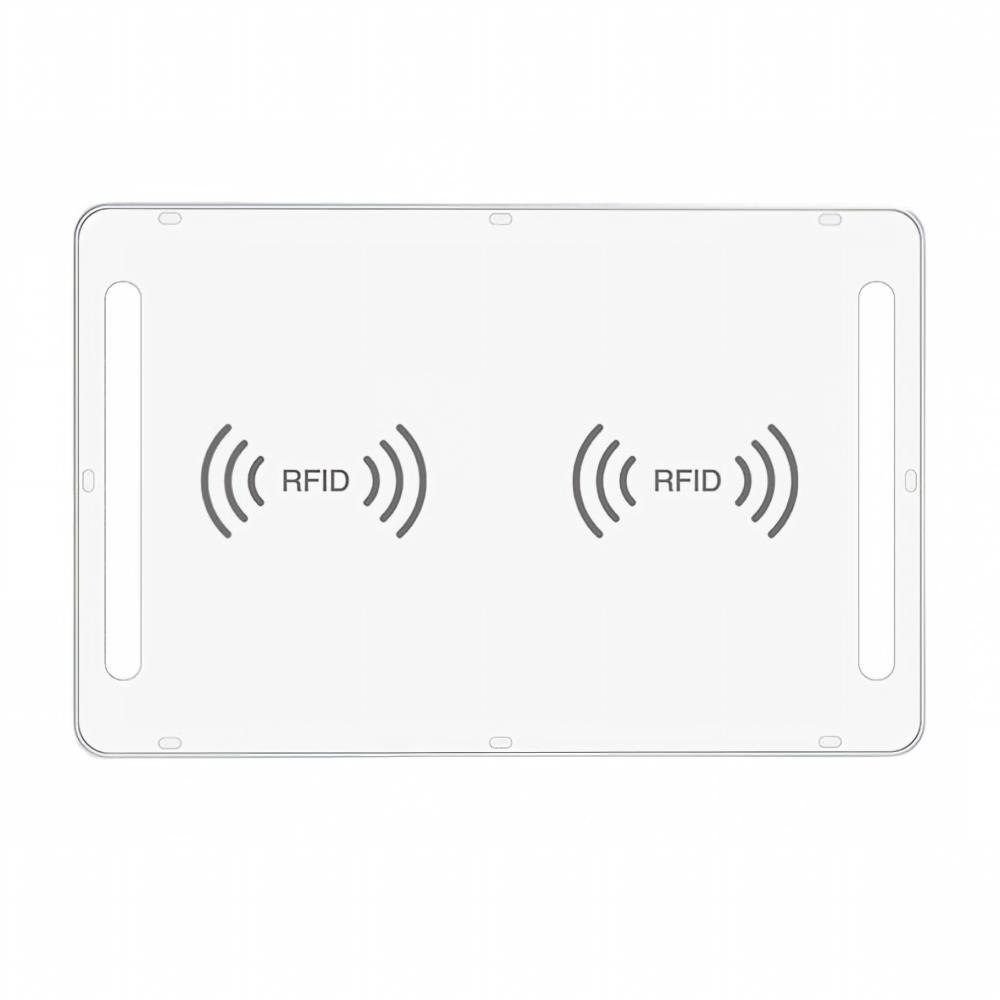
This design can be useful when:
The physical entrance remains more open.
Ceiling-mounted does not automatically mean AI-powered.
A conventional ceiling-mounted RFID gate still depends on:
Ceiling-mounted describes the installation structure.
It does not necessarily describe how the system understands movement.
Trajectory-recognition gates add movement analysis on top of RFID detection.
Instead of relying mainly on whether a tag is present in the read zone, the system analyzes how the tag moves through the monitored area.
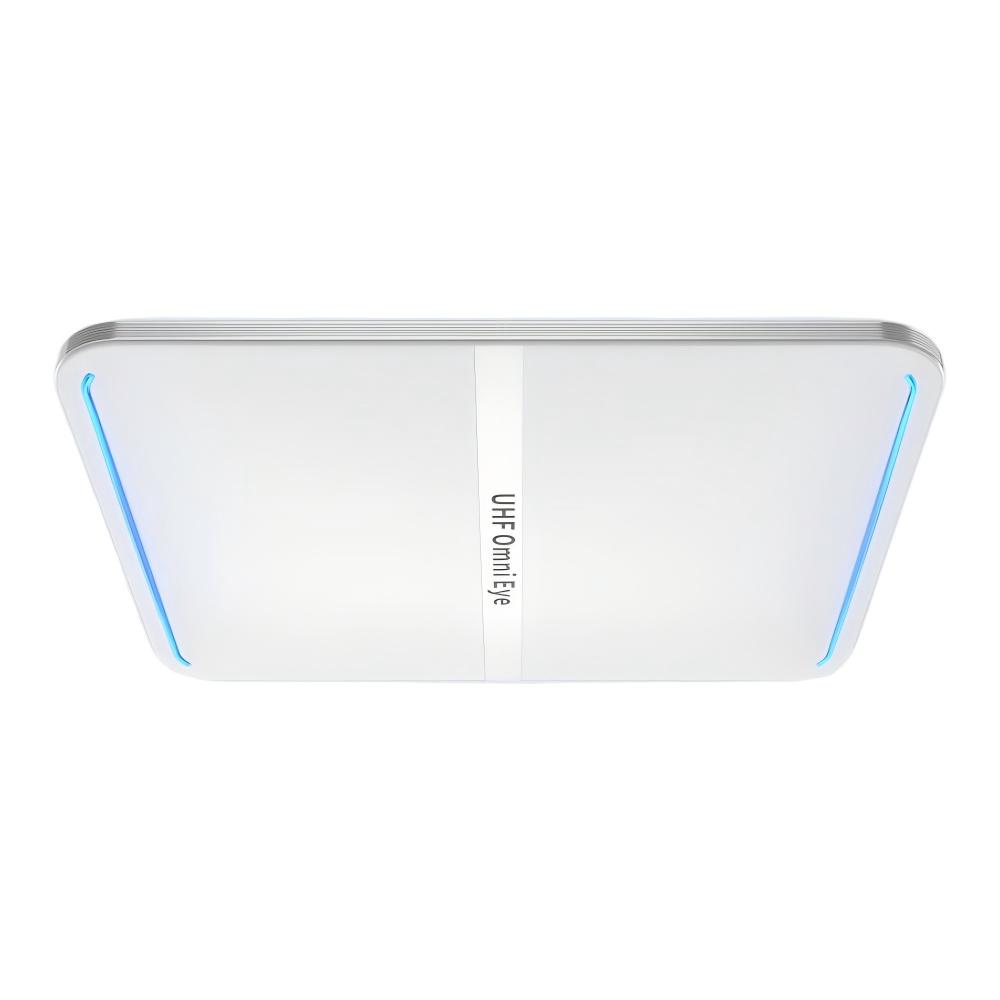
This type becomes more useful when:
This does not mean every store needs AI trajectory recognition.
For a standard, stable entrance, a conventional pedestal gate may remain the better and more economical choice.
| Feature | Traditional Pedestal Gate | Ceiling-Mounted Gate | AI Trajectory-Recognition Gate |
| Installation | Floor-standing | Ceiling-mounted | Usually ceiling-mounted |
| Floor Space | Required | Not required | Not required |
| RFID Detection | Yes | Yes | Yes |
| Sound/Light Alarm | Common | Model-dependent | Common |
| Entry/Exit Judgment | Configuration-based | Configuration-based | Movement-based |
| Onsite Tuning | Usually required | Usually required | Usually reduced |
| Cross-Reading Control | RF zone adjustment | Coverage adjustment | Movement analysis |
| Best For | Standard retail entrances | Open-design entrances | Complex dynamic entrances |
Good hardware matters, but deployment quality matters just as much.
Do not optimize for maximum reading distance unless the application requires it.
The target should be the passage itself.
Too much power can make the system read merchandise that is not part of the actual exit event.
Power should match the real doorway and product environment.
Do not test the gate in an empty doorway.
Place products where they will actually be displayed.
Then check whether nearby static tags are being detected.
Testing should include:
A single straight-line test is not enough.
Testing should use the same:
planned for deployment.
If the gate connects to retail software, alarm rules can become more precise.
Depending on the system, the gate may use:
This is better than treating every RFID read as the same event.
A large number of RFID gate problems begin before installation.
They begin during product selection.
A longer reading range sounds attractive, but for retail loss prevention it can increase cross-reading.
The best gate is not the one that reads the farthest.
It is the one that reads the correct zone.
If clothing racks or product displays are close to the entrance, this should be considered before the gate is selected.
Do not assume the store layout will remain empty around the doorway.
A single tag in an open doorway does not represent a real retail environment.
Test multiple items, real products, different tag orientations, and real customer movement.
The gate may detect a tag correctly, but the alarm logic still depends on what the system knows about that tag.
If the project requires:
then software integration should be considered early.
A standard pedestal gate may be completely suitable for a normal store entrance.
Do not add complexity where it is not needed.
The right gate is the one that matches the environment and workflow.
For many retail stores, this is the best starting point.
The key question is whether the RF monitoring zone can still be controlled reliably.
This is where movement-based recognition provides more value.
There is no universal distance.
The correct distance depends on:
The right distance should be confirmed through real onsite testing.
This is also why blindly copying another store's RFID gate settings is not recommended.
Two entrances that look similar may perform differently.
Not every project requires deep integration.
But if the store wants the gate to make more intelligent decisions, software becomes important.
A typical workflow may look like:
RFID Gate Detects Tag
→ System Checks Tag Status
→ Authorized or Restricted?
→ Record Event / Trigger Alarm
For simple anti-theft applications, the configuration may remain relatively basic.
For stores that want paid/unpaid status, detailed event records, or more advanced alarm rules, software integration becomes more important.
Before comparing products, clarify:
1. How wide is the entrance?
2. How close is merchandise to the doorway?
3. What RFID tags will be used?
4. Which products are being tagged?
5. Is sound and light alarm required?
6. Is whitelist or blacklist logic required?
7. Do you need entry and exit direction recognition?
8. Is floor-standing hardware acceptable?
9. Does the gate need to connect with POS or retail software?
10. How much onsite tuning is acceptable?
11. Does the store layout change frequently?
12. Will multiple tagged items pass at the same time?
These questions are usually more useful than simply comparing maximum reading range.
FYJ provides different RFID gate architectures for retail and controlled-entry applications, including:
The appropriate configuration depends on:
For many standard retail entrances, a conventional pedestal RFID gate remains a practical and economical choice.
More complex environments may benefit from ceiling-mounted or trajectory-recognition designs.
The goal is not to use the most advanced gate.
It is to use the gate that best matches the real entrance.
What causes RFID gate false alarms?
Common causes include nearby merchandise, oversized read zones, excessive RF power, changing store layouts, tag orientation, product materials, and cross-reading outside the intended passage.
What is RFID cross-reading?
RFID cross-reading happens when the reader detects tags outside the area it is supposed to monitor.
How can RFID cross-reading be reduced?
Typical methods include reducing RF power, controlling antenna coverage, testing merchandise near the entrance, using appropriate tags, and choosing a gate architecture that matches the store.
What is the difference between a pedestal and ceiling-mounted RFID gate?
A pedestal gate uses floor-standing units on the sides of the entrance. A ceiling-mounted gate installs RFID hardware above the passage and keeps the floor area open.
Is every ceiling-mounted RFID gate AI-powered?
No. Ceiling-mounted refers to installation structure. AI trajectory-recognition adds movement analysis on top of RFID detection.
Do RFID gates require onsite tuning?
Many conventional RFID gates require onsite adjustment of RF power, antenna coverage, and read zones. The amount of tuning depends on the hardware and environment.
Can RFID gates identify unpaid merchandise?
The RFID gate can identify individual tags. Determining whether an item is unpaid depends on the system's alarm logic and integration with retail or POS software.
How far should merchandise be from an RFID gate?
There is no fixed distance that works for every store. It should be determined through testing using the actual gate, tags, products, and entrance layout.
RFID loss prevention is not mainly about how far a gate can read.
It is about controlling where the system reads and deciding which events matter.
For a standard retail entrance, a traditional pedestal RFID gate may be the simplest and most economical choice.
For stores that need a cleaner, more open entrance, ceiling-mounted RFID gates offer another option.
For more complex environments with nearby merchandise, wide passages, or difficult movement patterns, trajectory-recognition gates can add another layer of control.
Start with the entrance.
Look at merchandise placement, customer movement, tag type, alarm requirements, and software integration.
Then choose the RFID gate.
Not the other way around.
Hi! Click one of our members below to chat on
 es
es 


 Red IPv6 compatible